
A Fab Lab, or digital fabrication laboratory, is a place to play, to create, to mentor and to invent: a place for learning and innovation.
Fab Labs provide access to the environment, the skills, the materials and the advanced technology to allow anyone anywhere to make (almost) anything. (source: https://fablabs.io/)
The FabLab program began as a collaboration between the Grassroots Invention Group and the Center for Bits and Atoms at the Media Lab in the Massachusetts Institute of Technology with a grant from the National Science Foundation (Washington, D.C.) in 2001. Currently, there are 12 FabLabs in Finland.
The concept is simple: you have an idea, get to learn the tools, and create your prototype. I always have lots of ideas, so visiting the FabLab in Oulu was an important milestone in the Accessible Board Games project.
Oulu BusinessAsema FabLab is equipped with the following devices:
- A laser cutter Epilog Fusion Pro 48 120w with a machining area ca. 1200 x 900 mm. It can for instance cut and engrave plywood, MDF, cardboard and acrylic
- A vinyl cutter Roland CAMM-1 GS-24
- Several 3D printers (Sindoh Wox dp201, Ender-3 V2 Neo, Phrozen Sonic Mega 8K Large High Resolution Resin 3D Printer, ELEGOO Mars 2 MSLA Resin 3D Printer with 2K Mono LCD and a Phrozen Cure XL: Post Curing UV Lamp)
- A Shining3D Einstar handheld 3D scanner
- Several milling machines (Shining3D Einstar – handheld 3D scanner, Precision milling machine Roland SRM-20)
- Sewing and embroidery machines (overlocker JUKI MCS-1500, overlocker JUKI MO-654DE, sewing machine ELNA eXperience 520 S, embroidery machine Innov-is V3)
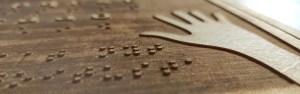
When visiting, I was mainly interested by the 3D printing and the laser engraving, as both these methods can generate tactile illustrations and texts. The embroidery machine caught my eye too. It wasn’t long before I booked my first appointment to learn how to operate the laser cutting and engraving machine. After two sessions, I have already learned a lot about the device, its possibilities, some do’s and dont’s, and how to potentially expoit this technology in accessible games development.
The program used to create the needed files is the open source Inkscape, which I have already used a lot for creating logos, diagrams and various illustrations. Inkscape if free and can be downladed at https://inkscape.org. Having the program on my own laptop is a huge advantage, as I can spend the needed amount of time whenever I want to, all using my regular optical aids (ZoomText Fusion and a large screen mounted on a movable arm).
Thank you to Jari Uusitalo and all the personnel of FabLab for the time spent explaining the device functionment and helping me solve some mysterious problems (we still have a couple to figure out yet!). Thank you also Päivi, for helping me navigate in and around the lab, and being my eyes when mine are not sufficient – quite often, hence!
More about Oulu BusinessAsema FabLab at https://businessasema.com/fablab/


Vastaa